
Download Zazow – AI Image Generator & Editor Free Download
Overview
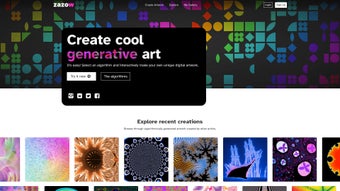
Zazow is a modern, browser‑based AI image generator and editor that brings the power of state‑of‑the‑art diffusion models directly to your fingertips without the need for any installation files. Launched in early 2025, the platform was built with the intention of unifying two traditionally separate workflows: AI‑driven image creation and pixel‑perfect editing. By leveraging cloud‑rendered AI, Zazow removes the heavy GPU requirements that normally accompany generative art tools, allowing anyone with a stable internet connection to generate photorealistic or stylized visuals in seconds.
The user interface follows a clean, drag‑and‑drop paradigm: a left‑hand prompt field for textual descriptions, a central canvas that updates in real time, and a right‑hand toolbar packed with layer controls, filters, vector adjustments, and text overlays. All of these components are fully responsive, meaning you can switch from a desktop monitor to a tablet or smartphone without losing functionality. Security is baked into the service; all assets are stored in encrypted cloud storage, and two‑factor authentication is offered for account protection.
For teams, Zazow includes collaboration links that let multiple users comment, edit, and approve designs in a single shared workspace. While the core product is free to use with daily generation limits, a premium subscription unlocks higher‑resolution exports, unlimited batch processing, and advanced model fine‑tuning. In short, Zazow delivers a seamless, download‑free experience that combines the creativity of AI with the precision of a professional graphics editor, making it an ideal tool for designers, marketers, educators, and hobbyists alike.
Key Features
Zazow’s feature set is deliberately extensive, ensuring that users do not have to switch between separate applications to complete a project. Below is a curated list of the most impactful capabilities, each designed to streamline the creative workflow while maintaining high‑quality output.
- AI‑Powered Text‑to‑Image Generation: Convert natural‑language prompts into photorealistic or artistic images using the latest diffusion models, with support for style, lighting, and composition modifiers.
- In‑Browser Real‑Time Editing Suite: Layer management, masking, non‑destructive filters, color grading, and vector tools are all accessible without leaving the browser.
- Cross‑Browser Compatibility: Fully functional on Chrome, Firefox, Safari, Edge, and even legacy Internet Explorer 11, eliminating OS‑specific constraints.
- Batch Processing & Automation: Queue multiple prompts, set priority levels, and let Zazow render them sequentially, ideal for marketing teams producing large visual libraries.
- Secure Cloud Storage: All generated assets are saved in encrypted storage with optional export to Google Drive, Dropbox, or local downloads.
- Custom Style Library: Save and reuse style presets, ensuring brand consistency across campaigns and projects.
- Collaboration Tools: Share secure links, leave comments, and merge edits in real time, fostering teamwork across departments.
- Automatic Updates: As a SaaS solution, Zazow receives continuous AI model upgrades and UI enhancements without user intervention.
- Responsive Design: Optimized layouts for desktops, laptops, tablets, and smartphones, guaranteeing a fluid experience on any screen size.
- High‑Resolution Export Options: Export in PNG, JPEG, SVG, or PSD formats up to 8K resolution, with adjustable DPI and color profiles for print‑ready files.
Installation, Usage & Compatibility
Getting Started – No Download Required
Since Zazow lives entirely in the cloud, the onboarding process is intentionally simple. Visit the official Zazow website, click “Sign Up,” and complete the short registration form. After verifying your email (and optionally enabling two‑factor authentication), you are redirected to a personalized dashboard where the prompt box and editing canvas are already laid out. Because there is no client‑side installation, you avoid the typical hassles of version conflicts, driver updates, or license keys. All you need is a modern browser and a reliable internet connection.
Step‑by‑Step Usage Guide
- Enter a Prompt: Describe the desired image in plain language, adding details such as “golden hour lighting,” “cinematic depth of field,” or “low‑poly style.”
- Select an AI Model: Choose from preset models (Photorealistic, Illustrative, Abstract) or access advanced settings like CFG scale, sampling steps, and seed control for reproducibility.
- Generate the Image: Click “Generate.” Within a few seconds the AI returns a high‑resolution preview that appears on the canvas.
- Edit Directly in the Browser: Use the right‑hand toolbar to add layers, apply filters, adjust curves, or insert vector shapes. All edits are non‑destructive and can be toggled on or off.
- Save, Share, or Export: Store the project in your cloud library, share a secure link with collaborators, or download the final asset in your preferred format and resolution.
Operating System & Browser Support
Zazow is engineered to work on any operating system that can run a contemporary web browser. Supported platforms include Windows 10/11, macOS 10.15+ (Catalina through Ventura), major Linux distributions (Ubuntu, Fedora, Debian), Android 8.0+ and iOS 13+. The application has been tested on Chrome, Firefox, Safari, Edge, and Internet Explorer 11, guaranteeing consistent performance regardless of your hardware or OS preference.
Performance Tips for Optimal Use
For the smoothest experience, use a broadband connection of at least 10 Mbps and keep your browser up to date. Disabling unnecessary extensions can reduce latency during generation. On lower‑end devices, consider selecting the “Fast Render” mode, which reduces sampling steps for quicker results with only a minor loss in detail. Exporting at lower DPI (e.g., 72 dpi for web use) also speeds up the download process.
Pros & Cons
Like any software solution, Zazow brings a blend of strengths and areas where users may need to adjust expectations. Below is a balanced overview that highlights the most commonly noted advantages and disadvantages based on real‑world usage.
Pros
- Completely web‑based – no downloads, installations, or manual updates required.
- Cutting‑edge AI models produce high‑quality, diverse images from simple text prompts.
- Integrated in‑browser editing eliminates the need for separate graphic‑design programs.
- Works across all major browsers and operating systems, including legacy IE 11.
- Encrypted cloud storage with optional two‑factor authentication protects user data.
- Collaboration features streamline teamwork and feedback cycles.
- Generous free tier with daily generation limits suitable for casual creators.
- Automatic backend updates keep AI models and UI current without user effort.
- Export options include PNG, JPEG, SVG, and PSD up to 8K resolution.
- Responsive design ensures usability on desktops, tablets, and smartphones.
Cons
- Requires a stable internet connection; offline usage is not possible.
- Free tier imposes daily generation caps that may restrict power users.
- Advanced model customization and unlimited batch processing are locked behind a paid subscription.
- Performance may degrade on very old browsers or low‑end devices.
- Exporting vector formats (SVG) can occasionally lose AI‑specific layer metadata.
FAQ & Conclusion
Is Zazow really free to use?
Yes. Zazow offers a free tier that allows up to 30 image generations per day and includes most core features. Premium plans unlock unlimited generations, higher‑resolution exports, and advanced model controls.
Do I need a powerful computer to run Zazow?
No. All heavy AI processing occurs on Zazow’s cloud servers. A modern browser and a stable internet connection are the only hardware requirements.
Can I use Zazow on a mobile device?
Absolutely. The responsive design works on Android and iOS browsers, allowing you to generate and edit images on the go. Touch‑optimized controls make the experience smooth on smaller screens.
How secure is my data on Zazow?
Zazow employs end‑to‑end encryption for all files stored in the cloud. Two‑factor authentication is optional, and the platform complies with GDPR and CCPA, ensuring personal and commercial data are handled responsibly.
What file formats can I export?
Exports are available in PNG, JPEG, SVG, and PSD. Users can select resolutions ranging from web‑ready 72 dpi up to 8K (7680 × 4320 px) for print‑quality projects.
Conclusion – Why You Should Download Zazow Today
In an ecosystem crowded with standalone AI generators and heavyweight desktop editors, Zazow distinguishes itself as a truly download‑free solution that merges powerful image creation with a full‑featured editing suite, all within a secure, browser‑based environment. Its cross‑platform compatibility, real‑time collaboration tools, and generous free tier make it an attractive choice for both beginners and seasoned professionals. While the reliance on an internet connection may be a limitation for users in low‑bandwidth regions, the trade‑off is a constantly updated AI engine that delivers cutting‑edge results without manual upgrades. If you’re looking for a versatile, secure, and instantly accessible AI image generator and editor, Zazow deserves a spot in your creative toolbox. Click the button below to create a free account and start producing AI‑driven designs without ever leaving your browser.






